When the SDDM login theme won't show on Ubuntu 26.04 (Qt6) — a two-layer cause
Environment: Kubuntu 26.04 LTS · KDE Plasma 6 · SDDM 0.21.0 (Qt6)
TL;DR
If a custom SDDM login theme is configured correctly but the screen still shows the default, the cause may be two-layered.
# 1) Qt6 sddm can't find the old /usr/bin/sddm-greeter name and silently falls back → symlink it
sudo ln -s /usr/bin/sddm-greeter-qt6 /usr/bin/sddm-greeter
If you then hit module "QtGraphicalEffects" is not installed, the theme is Qt5-only and fundamentally broken on Qt6 — switch to a Qt6-compatible theme.
First symptom: a silent fallback to the default theme
/etc/sddm.conf.d/kde_settings.conf clearly held Current=sugar-candy (written correctly by the System Settings login-screen KCM). Yet the login screen came up on the default theme. There wasn't even an error on screen, so the cause was hard to pin at first.
So I dug through the SDDM logs with journalctl, and this line showed up:
requires missing "/usr/bin/sddm-greeter"
Root cause: Ubuntu 26.04's sddm package (0.21.0) installs only /usr/bin/sddm-greeter-qt6 and never creates the old /usr/bin/sddm-greeter name (nor an update-alternatives entry linking the two). SDDM's theme loader checks for the greeter binary, and when it can't find the old name it just logs it and silently falls back to the default theme. That error never appears on the login screen — only in journalctl — which made it more confusing.
Fix: a symlink from the old name to the new binary.
sudo ln -s /usr/bin/sddm-greeter-qt6 /usr/bin/sddm-greeterOnce the user created it, the fallback stopped. One caveat: an sddm package update can remove this symlink, so if the login theme ever reverts to default later, check this first.
Second symptom: with the symlink fixed, a real error finally appears
After the symlink and a reboot, the login screen threw a real error in big text — the user sent a photo of it.
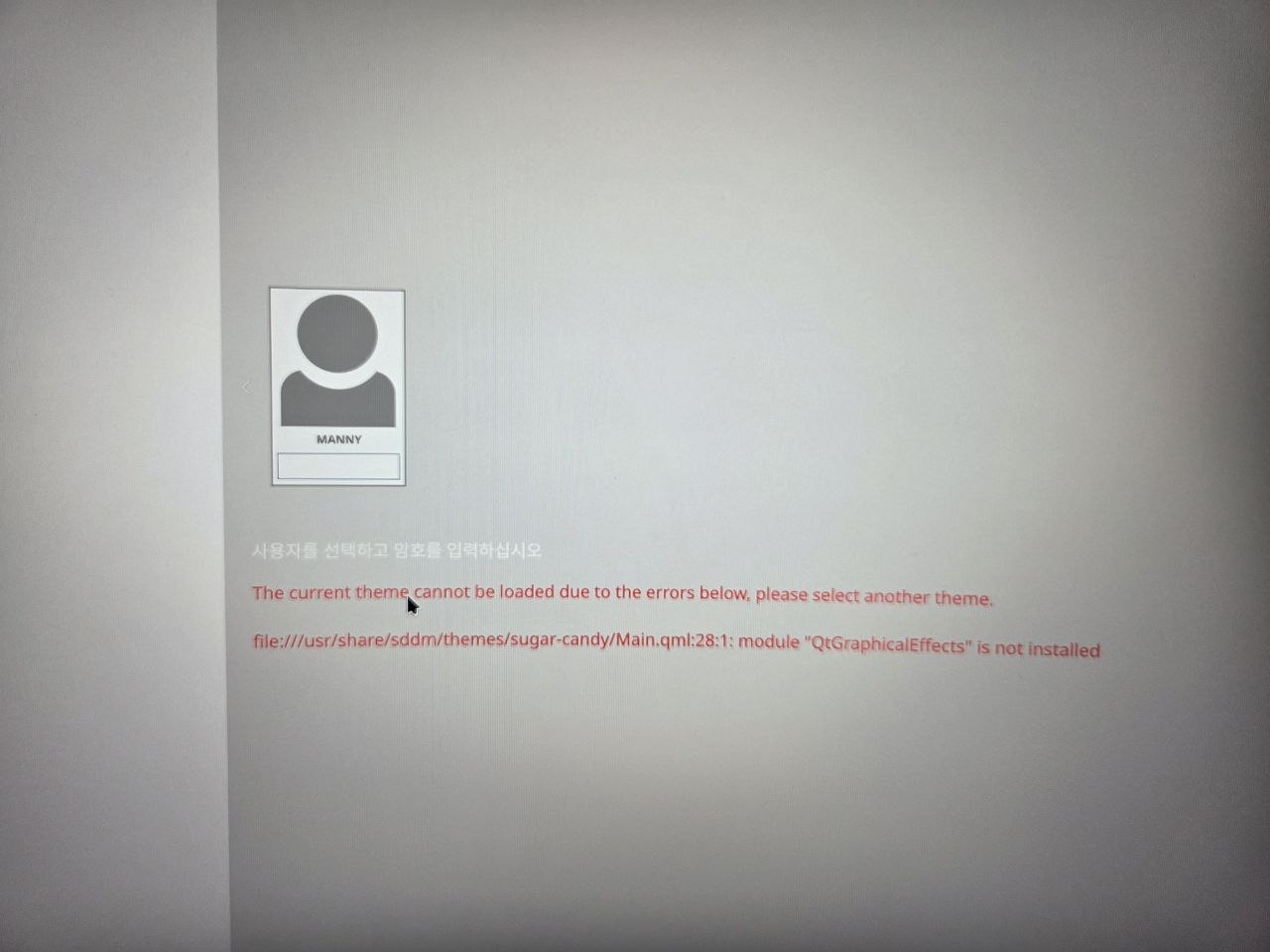
The current theme cannot be loaded due to the errors below, please select another theme.
file:///usr/share/sddm/themes/sugar-candy/Main.qml:28:1: module "QtGraphicalEffects" is not installed
Root cause: Sugar Candy's QML (Main.qml and others) uses the Qt5-only import QtGraphicalEffects 1.0, but a Qt6 greeter simply doesn't have that module (it was renamed Qt5Compat.GraphicalEffects in Qt6). So this isn't something more packages can fix — the theme itself is fundamentally incompatible with Qt6. (For what it's worth, the login form still worked in this error state, so password entry kept functioning.)
Fix: swap the theme entirely. The We10XOS-dark package already in use as the desktop global theme happened to ship an SDDM login theme too, and that one was already Qt6-ready with import Qt5Compat.GraphicalEffects. I asked the user to switch to it.
sudo sed -i 's/Current=sugar-candy/Current=We10XOS-dark/' /etc/sddm.conf.d/kde_settings.confTakeaways / checklist
- If an SDDM theme is "configured right but doesn't show," check
journalctlforsddm/greeter logs first — the error often isn't on the screen. - Old SDDM themes written for Qt5 (especially ones using
QtGraphicalEffects) are fundamentally broken on Qt6-based distros. No amount of extra packages fixes it — switch to a Qt6-ready theme. Peeking at the QMLimportlines in the theme repo beforehand is a decent check. - The
sddm-greetersymlink can disappear on a package update. If the login theme reverts to default one day, suspect this first.