When Netflix won't play in Flatpak Firefox — error F7701-1003 and Widevine DRM
Environment: Kubuntu 26.04 LTS · KDE Plasma 6 · Flatpak Firefox
TL;DR
If Netflix fails in a freshly installed Flatpak Firefox with error code F7701-1003, the Widevine DRM (CDM) isn't installed. Turn on DRM playback in Firefox settings and it downloads automatically.
Settings (≡) → General → DRM Content → check "Play DRM-controlled content" → restart Firefox.
The symptom
After ripping out snap and reinstalling Firefox as a Flatpak, the user opened Netflix in that Firefox and playback failed with this error:
Whoops, something went wrong...
We're having trouble playing Netflix. Please make sure you're using the latest version of Firefox and try again.
Error Code: F7701-1003
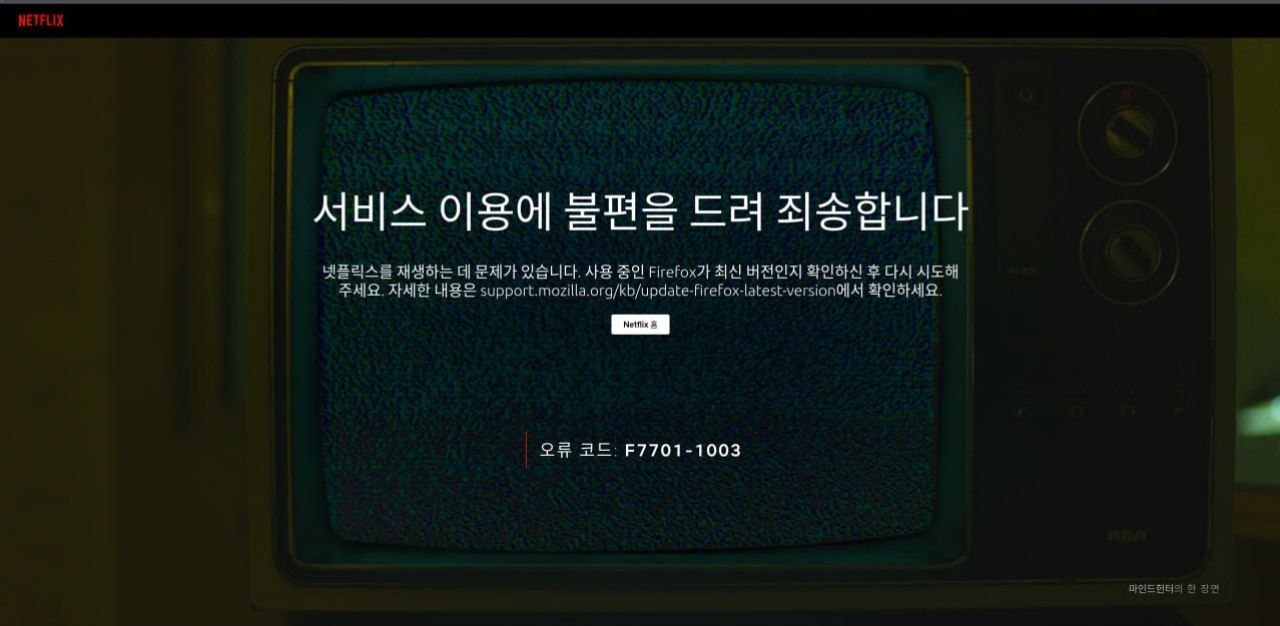
The original screen also had a banner across the top saying that playing audio or video on this page from now on requires enabling DRM (it's not visible in the image above, whose top browser area is cropped off).
Root cause: no Widevine CDM
Playing copyright-protected content like Netflix in a browser needs the Widevine DRM (CDM, Content Decryption Module) plugin. The just-installed Flatpak Firefox didn't have it yet (a fresh profile, with the Widevine CDM not yet downloaded). F7701-1003 is the code that commonly shows up on Firefox when something in the DRM/Widevine path is wrong — a missing CDM is only one of several causes. Here it was a fresh profile that hadn't fetched the CDM yet.
The error tells you to "make sure Firefox is up to date," but that's misleading — the cause isn't the browser version, it's the absent DRM plugin.
The fix
The fastest route is to click the "Enable DRM" banner already on screen. If there's no banner or it doesn't take, do it manually:
- Firefox menu (≡) → Settings
- General tab → scroll down → DRM Content section
- Tick "Play DRM-controlled content" → Widevine CDM downloads automatically
- Restart Firefox and reload Netflix
The user flipped it on and playback worked immediately — no reinstall, no other settings needed.
Takeaways / checklist
- A freshly installed sandboxed browser (Flatpak or snap) often ships without proprietary plugins like Widevine — check the DRM setting before firing up Netflix, Disney+, or any DRM service for the first time.
- Even though Netflix's error (F7701-1003) points you at a "browser version problem," the real cause is frequently a missing DRM plugin — don't take the message at face value.